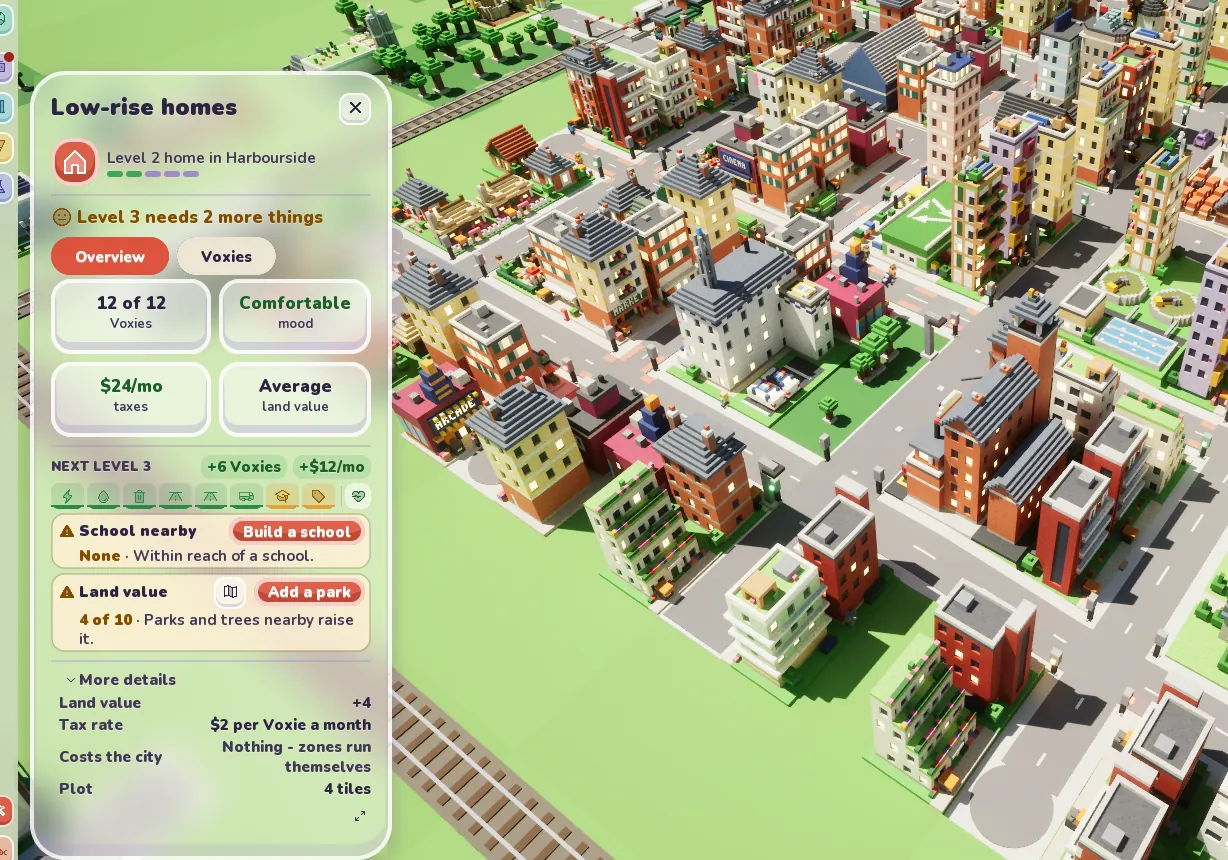
Every city builder has some version of the same question. Why won't this house grow? In Voxel City the answer was always there. It just wasn't said very well.
Click on a home and you get the inspector, a panel down the left side. The old one listed every requirement for the next level as a row of ticks, then a thin progress bar, then green chips for what was already sorted, then a box for each missing thing, then a fold out with the same thing again. On a home missing two things you could read the same need three times. On a 1080p screen, with the details open, the panel didn't fit and scrolled.
So I redrew it, and the game now matches the drawing, mostly.
One line at the top
The status line sums it up, so a home short of two things says "Level 3 needs 2 more things". It turns red if the problem is one of the big three (no power, no water, or no road out) because those stop a home completely. When nothing's missing it tells you the home is ready and will grow to the next level soon. If it's only waiting on a delivery it says that instead, and names what's on the way, like its concrete.
One bar
Under that is a single bar with an icon for each need, so power, water, bins, the road, a school, land value, materials and so on. Each one is coloured for how it's doing. Green is met, amber is missing, cream means it's only slowing things down, blue means it's on a lorry, and red means it can't be reached at all. Hover one and it tells you, for example that the power is on. Click a missing one and the matching map view opens.
A fix next to every problem
The three most urgent missing needs get a box each, with the button that fixes it on the same line as its name, like Build a school, Add a park or Decorate nearby. If there are more than three, the rest go on one line underneath that starts "Also needs". Every need has its own fix button now, power, water, bins and roads included. Before, some of them just told you what was wrong and left you to find the tool.
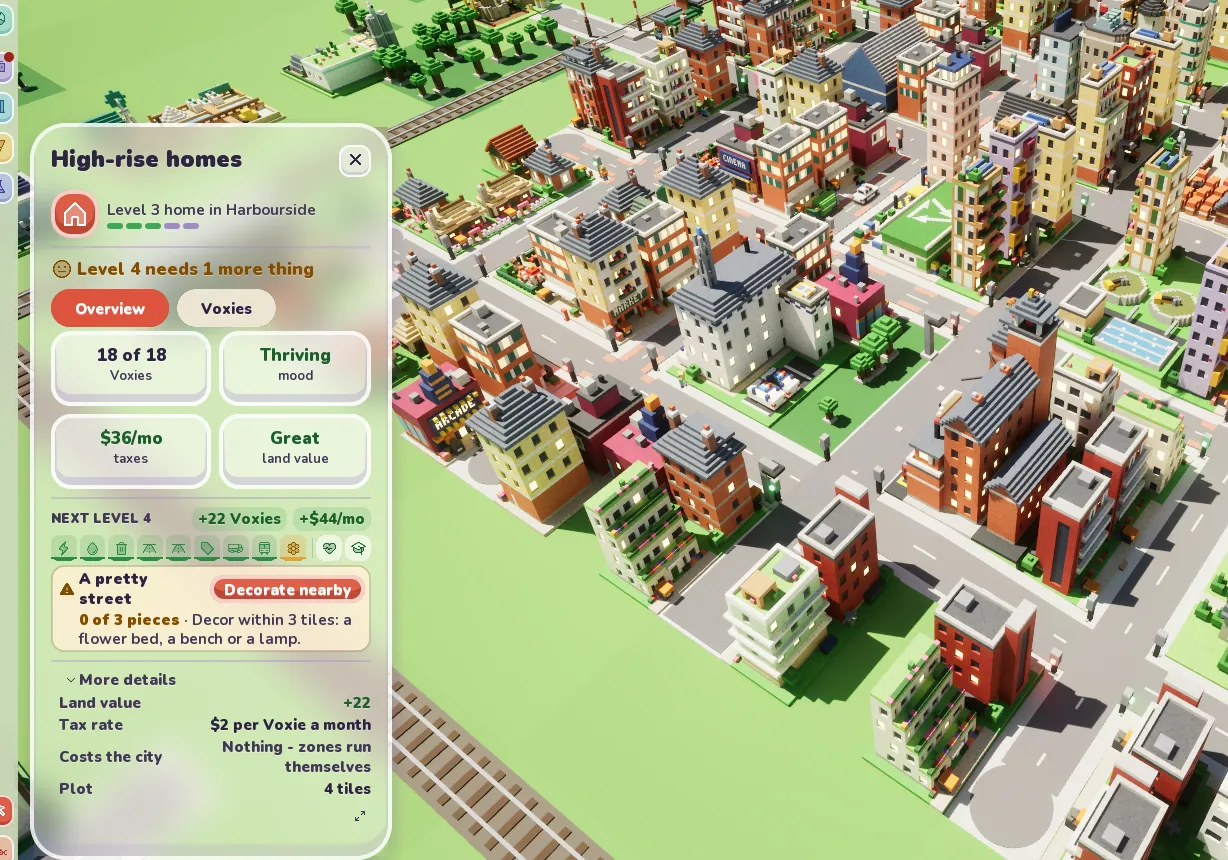
The fold out at the bottom lost the rows that repeated the top, and land value is shown as a number now. Who lives in the building moved off the front page into the Voxies chip, which shows two names when you hover it and opens the full list when you click.
Where it differs from the drawing
The design had smaller buttons than the game actually uses, and I wasn't going to shrink the game's buttons to match a sketch. So a long need name like "Water and sewers" wraps onto two lines, and a short name that can't fit beside both its buttons drops the little map button (the bar still opens the map). It looks fine. It's just not quite the picture.
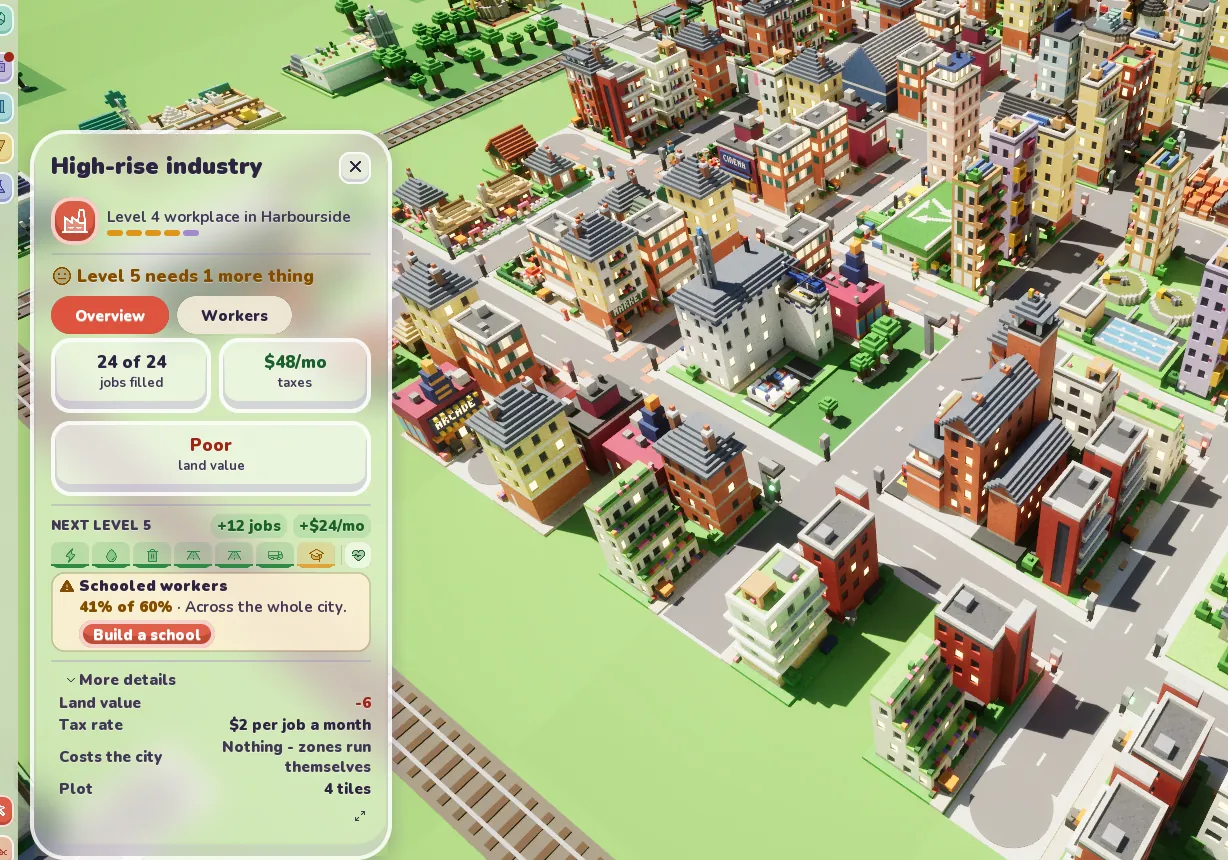
Works get the same treatment, with jobs in place of Voxies.
All of this went into 25 other languages at the same time, about a dozen new phrases each, which is the part of UI work nobody sees.