Skip to content
Playing on a controller

Build the whole city on a controller

City builders usually want a mouse. Voxel City doesn't have to. Plug in an Xbox or PlayStation controller and you can lay roads, zone, place services, open every window and get through every menu without touching the mouse. Pick the mouse back up and it takes over again straight away.

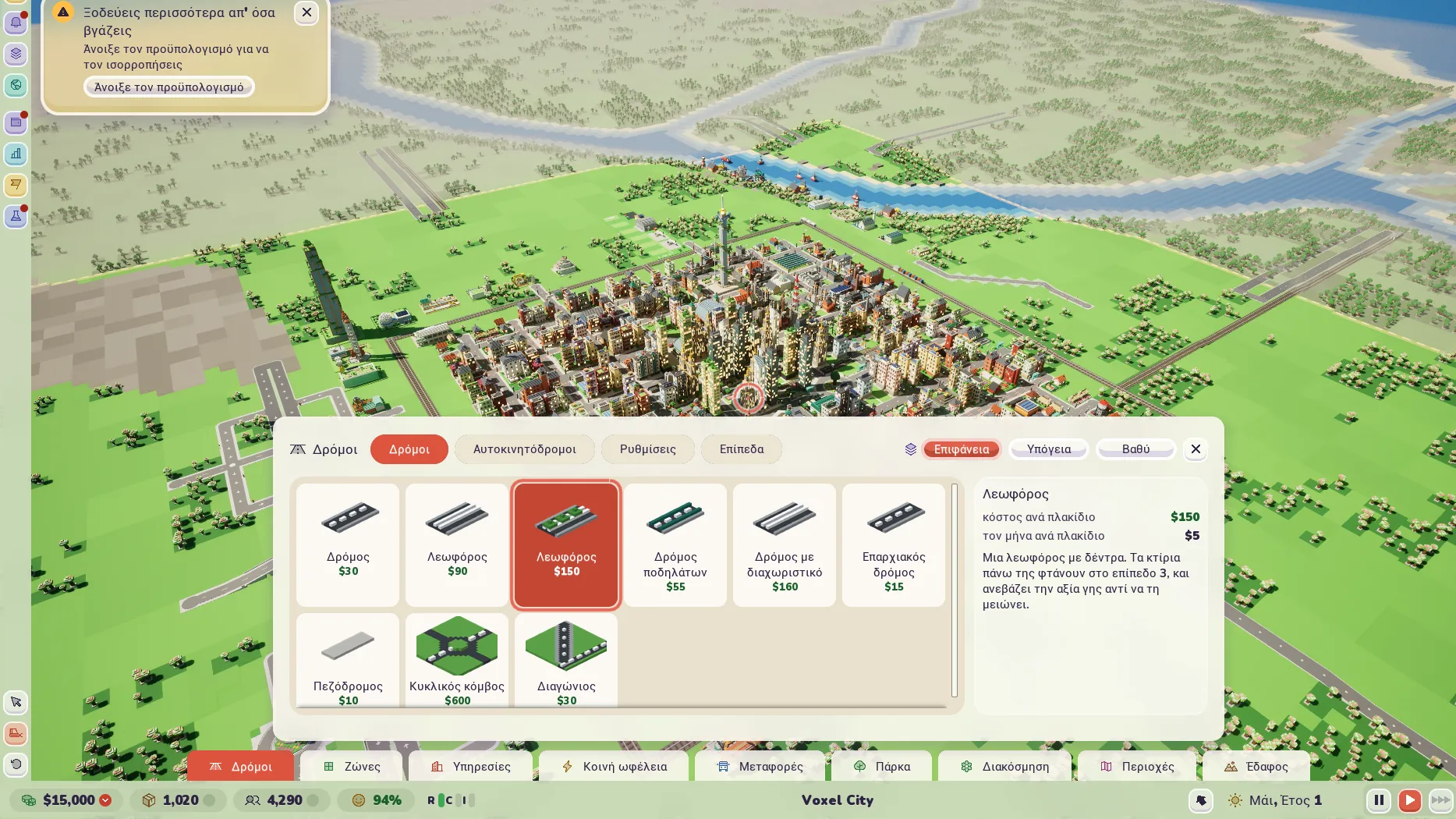
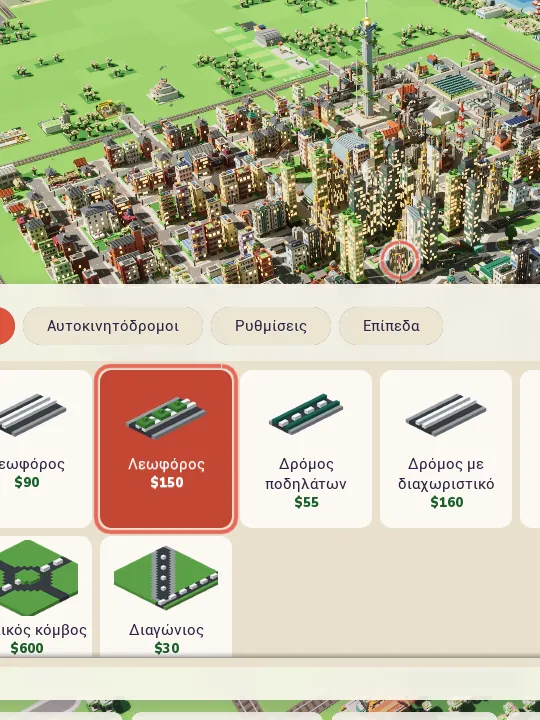
Voxel City in Greek, played on a controller, with a coral ring over the town and the Roads menu open along the bottom with the avenue tile picked.

On a pad, in Greek. The coral ring in the middle of the screen is where things go, and the Roads menu has the avenue picked.

Every button

There's no pointer to steer about. A coral ring sits in the middle of the screen and you move the city under it, the way a lot of console builders do it. The tile you're about to build on gets a coral outline.

The ring and the outline only show when the pad was the last thing you touched. Move the mouse and the pointer's back.

The pad buttons are fixed in this first version. The keyboard can be rebound to anything you like in Settings.
What each controller button does
Button What it does
Left stick Move the camera
Right stick Turn left and right, tilt up and down
LT / RT Zoom out / in
A Place at the ring, or pick the highlighted tile in a build menu
B Go back, closing the menu, then the window, then putting the tool down
X The bulldozer
Y Inspect whatever is under the ring
LB / RB The previous / next build menu
D-pad Move along a menu's tiles, and up and down between its tabs
Menu / View The game menu / the map views
R3 The next game speed
Open a larger picture. Voxel City in Greek, played on a controller, with a coral ring over the town and the Roads menu with the avenue tile picked.
The Roads menu on a pad. The D-pad moves along the tiles and A picks one.

Menus and windows

The main menu, the game menu and Settings all take the pad while they're open. The D-pad moves a coral outline to the next button that way, A presses it, and B goes back a page and then closes. On a slider, left and right move it.

In the city, with no build menu open, the D-pad steps into whatever window is on top, like the building inspector or the budget. A and B work inside it until B closes it, so you can keep placing things with the inspector still standing open.

The F1 key list shows the controller's buttons as they're printed on the pad (A, X, LB, the D-pad), in a section of their own.

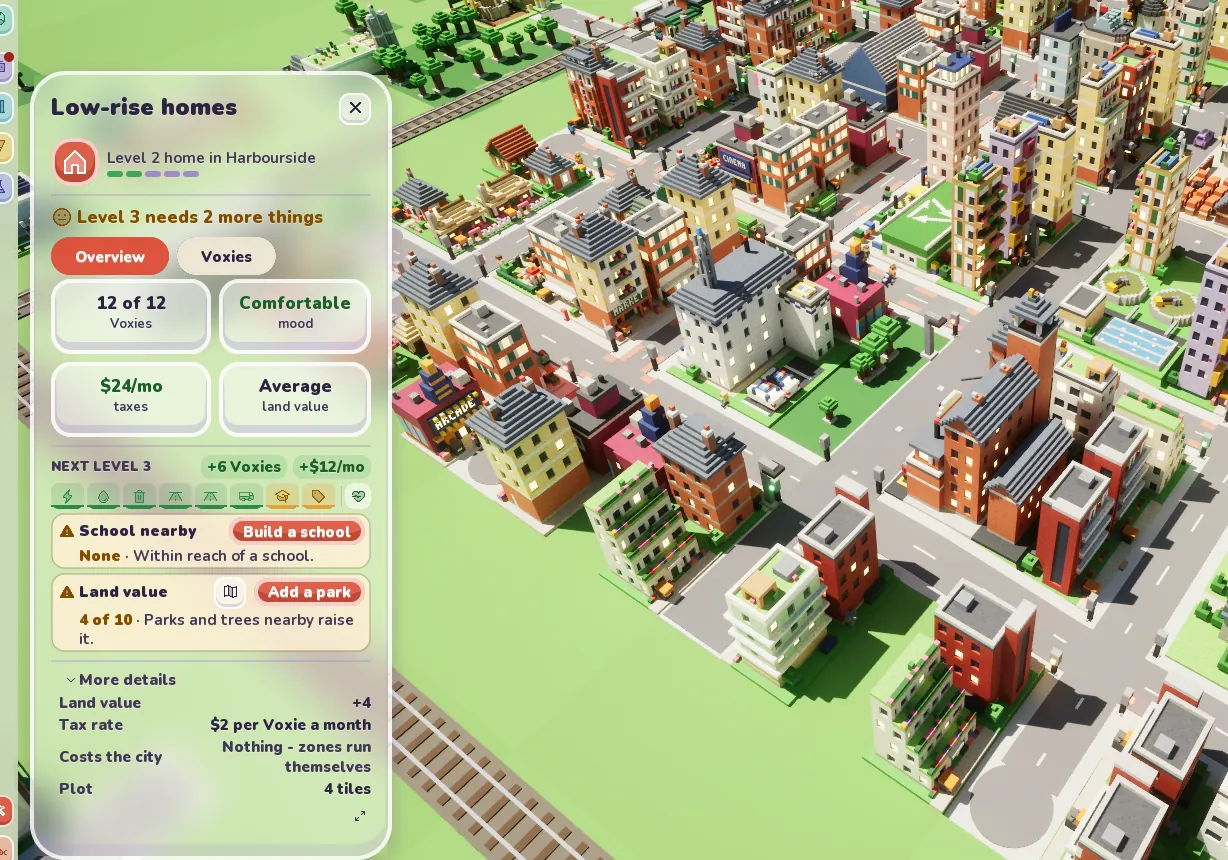
Open a larger picture. The inspector on a level 2 home saying Level 3 needs 2 more things, with a school and land value each given a button to fix it.
Every missing need has its fix button right beside it, which is easy to reach on a pad.

Things that help on a sofa

Settings has a UI scale and a text size, a Solid panels option for more contrast, and Reduce motion. The game pauses when it's in the background and carries on at the speed it had when you come back.

It's also in English and 25 more languages, picked for you from your computer's language the first time it starts. You can change it whenever you like.

Prefer a mouse and keyboard?

That works too, and it's how most of the game was built. WASD moves the camera and Q and E turn it, the wheel zooms in towards the pointer, and a right drag turns and tilts. A right click puts the tool down. Space pauses, Ctrl+Z undoes, and F1 lists every key. The camera also pans when the pointer reaches the edge of the window, which you can turn off.

From the devlog

Every post

Hear when it's out

Join the waitlist and we'll write when there's real news, like a release date. Nothing else.

Join the waitlist